Project-Wide Method List
The "Methods" section in the left panel displays all measured functions/methods in the files. The measurement value and the count of the method/function are displayed next to it. Clicking on the method opens the corresponding file in the editor and navigates to the relevant code.
In the bracket before the name, the type of the measured code location is displayed. The following abbreviations are used:
- class: (c)
- function: (f)
- functionExpression: (f)
- constructor: (f)
- method: (m)
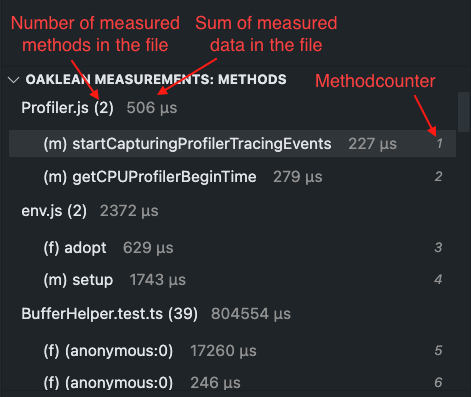
The method list can be sorted and filtered according to your preferences. Additionally, the representation and sensor value type of measurement data can be customized to suit your needs.